.png?width=250&height=150&name=Untitled%20(46).png "InfoReady logo")
This month, we’re sharing a few helpful updates and resources for your work. Inside, you’ll find upcoming webinars, recent product updates, and a new client story on how the University of Memphis built a more scalable research administration process with InfoReady.
Need information we didn't cover in this issue? You can always reach out to your account manager or email us at info@inforeadycorp.com. We're ready to help.
The New InfoReady Homepage is Here!
As of May 5, 2026, all InfoReady homepages are now in the new, updated format. The new homepage delivers a cleaner, more intuitive experience for your users and meets the new federal accessibility guidelines.
Get more details in our Support Portal.
How the University of Memphis Scaled Its Research Administration Process
As research administration grows more complex, many teams are looking for better ways to manage submissions, reviews, and internal workflows. In this client story, the University of Memphis shares how it created a more centralized and scalable process with InfoReady.
The article highlights how the team improved visibility, streamlined coordination, and created more capacity as demand increased.
Upcoming Webinars
TRAINING: Advanced Tips & Tricks for Migrating to Form Designer
May 7 |1:00pm ET |60 minutes
InfoReady will be retiring the Funding and General templates on 7/1/26. Join this webinar for an in-depth look at all the tools and features the Form Designer Template provides, including conditional logic and hiding fields from reviewers.
This session is geared toward Administrators that have started transitioning some of their programs or processes AND need to create more advanced forms or want to do a deep dive of the options.
May 19 |1:00pm ET |90 minutes
Need a refresher on creating and managing competitions in InfoReady? Are you completely new to using InfoReady? If so, start using InfoReady on the right foot by joining us for a training webinar for beginning InfoReady administrators. This is a walkthrough of the basics.
- The basics of creating competitions
- Managing applications and reviews
- End-user experience
TRAINING: Getting Started with Migrating to Form Designer Template
June 16 | 1:00pm ET |60 minutes
InfoReady will be retiring the Funding and General templates on 7/1/26. Join this webinar to get started transitioning any of your current legacy competitions and/or templates to the upgraded Form Designer Template, which includes our latest feature functionality. We will show the migration tool and how to begin building forms based on best practices.
This session is geared toward Administrators that have not yet started the transition process or built forms using the Form Designer Template.
What's New: Second Quarter 2026
June 23|1:00pm ET |60 minutes
Curious to learn about the most recent updates to InfoReady? Register for the What's New webinar for an overview of new features and functionality on the platform.
We will be covering updates from three releases: April 3.81, May 3.82, and June 3.83. Q&A will be hosted during the webinar.
May Product Updates: Form Designer Enhancements and New Validation Options
This month’s updates focus on improving the application experience for both administrators and applicants. Highlights include clearer applicant name fields, new reminders to save work, deadline-day alerts, more flexible validation timing, and an added option for Form Designer Core clients to hide application fields from reviewers.
Highlights
- Applicant name fields updated: First and last name fields are now labeled Applicant First Name and Applicant Last Name and can no longer be edited. This helps prevent misuse and reduce data errors. The change applies only to draft competitions and new competitions built from scratch.
- New "save" reminders for applicants: Applicants now see a reminder message if they have not saved their work in more than 10 minutes. They can save directly from the alert, dismiss it, or continue working.
- Deadline-day alerts added: On submission deadline days, applicants will see alerts 30, 20, 10, and 2 minutes before the deadline, including a reminder to save their work.
- More control over validation timing: Admins can now choose when form validation occurs, after a field is entered or changed, when applicants move between pages, or at submission.
- Form Designer Core update: Admins can now hide application form fields from reviewers.
Reminder: The General and Funding templates are being retired at the end of June 2026. Now is the time to begin upgrading to the Form Designer to ensure your future opportunities run smoothly.
As always the full Release Notes are published on morning of release. Bookmark Release Notes on our Support Portal to read current and previous release notes.
Just for Fun: Got a Good Eye for Color?
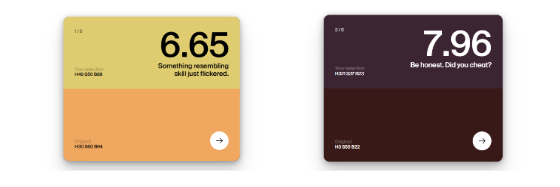
This game tests your ability to remember then recreate a color on-screen. It's harder than it looks. Give it a quick try.